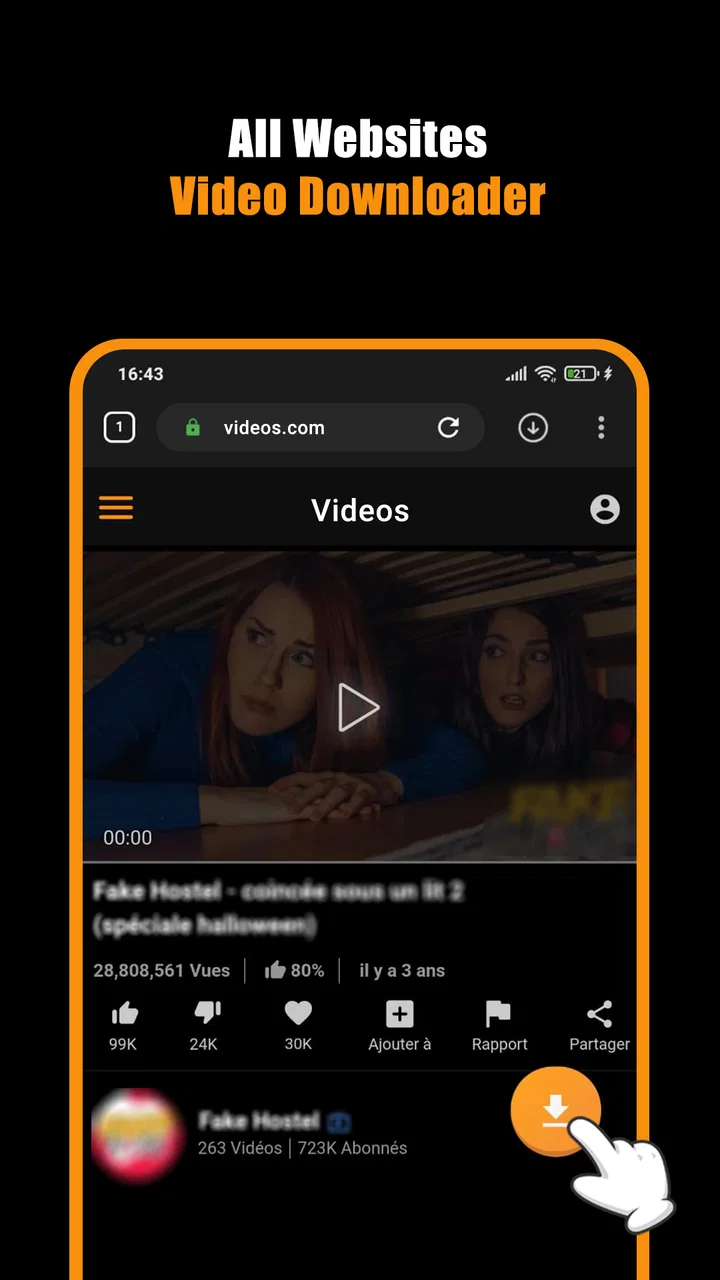
Hub Video Downloader
- 4.5
- Rating
- 10.00M
- Installs
- Free
- Price

 Analysis by App-foxy
I tested Hub Video Downloader as the kind of app you might keep on a shared phone or tablet when different people want to save videos for later viewing. It is a free video player and editor app from DOSA Apps, although its main appeal is clearly offline video access rather than editing. The idea is simple: find a video through the app, download it when appropriate, and watch it later without depending on a steady connection.
That sounds basic, but the practical value becomes clearer in a household. One person can prepare videos before a trip, another can use the device during a commute, and someone else can watch while the internet is busy or unavailable. In my experience, the app is most useful when you treat it as a focused download-and-playback tool rather than a complete replacement for every streaming service you already use.
Hub Video Downloader is best for people who want a straightforward offline video routine, not for users looking for a full media library with advanced family administration. That distinction matters before you install it, especially if several people will share the same device.
You May Also Like

 Blood Strike: 2.5 Anniversary
Blood Strike’s Loadouts Turn Every Drop Into a Tactical Gamble
A close look at Blood Strike’s custom loadouts: how fast access to signature weapons reshapes its battle royale rhythm, rewards preparation, and narrows the gap between fights.

 Pandora - Music & Podcasts
Pandora’s Music Is Easy to Start, but Harder to Recover
Pandora’s strength is its low-effort path from a seed to a station. Its weak spot is how much confidence it asks you to place in connection, setup, and quiet recovery.

 8 Ball Pool
 Is Built on Rivalries, Rematches, and Routine
A close look at the rivalries, rematches, shared routines, and unanswered safety questions that turn a quick pool match into a persistent mobile community.

 Samsung Music
’s Quiet Strength Is Playing What You Already Own
Its reach comes less from spectacle than from dependable access to a personal library. That simplicity is both the app’s strongest retention engine and its ceiling.

 AccuWeather: Weather Radar
AccuWeather Review: A Quick, Clear Forecast for Everyday Decisions
For everyday plans, the best forecast is the one you can understand quickly. AccuWeather makes rain timing, radar, and local conditions easy to act on, with a few trade-offs.

 Hill Climb Racing
Why Hill Climb Racing Still Turns Crashes Into One More Run
A tiny car, a bumpy hill and one more upgrade: Hill Climb Racing keeps resurfacing because its simple chaos makes every near-miss feel personal.
More From Our News Desk



How it fits into a shared household
I find that a shared-device video app works best when the household treats it as a common utility, not as everyone’s private media space. This section looks at how a prepared offline collection can help different people at different times, while keeping expectations realistic about what sharing does and does not organize. A little agreement up front makes the everyday routine easier.
A realistic family-device scenario
Imagine preparing a tablet before a long car journey. Instead of relying on mobile data along the route, I would use the app while connected to Wi-Fi, save suitable videos in advance, and hand the tablet to whoever needs it. That workflow is more dependable than hoping every stop has a strong connection. It also avoids the small arguments that come from several people trying to stream at once.
The same approach works in a home where the internet connection is limited. A parent might download a few videos for a child, another family member might save a cooking guide, and someone else might keep a longer video ready for an evening when the network is occupied. The useful part is not that Hub Video Downloader transforms video consumption; it is that it makes preparation a deliberate step.
I would still agree on a simple household rule: downloads should happen when the device is connected to a trusted network, and everyone should know which videos are intended for offline use. Without that coordination, a shared device can quickly become cluttered. The app helps with access, but it does not remove the need for people to organize their own viewing habits.
Where offline viewing genuinely helps
Offline playback is valuable in more situations than travel. It can help during temporary service interruptions, in rooms with weak reception, or when a user wants to reduce repeated streaming. It is also convenient for short breaks: rather than opening several apps and waiting for content to load, I can choose something already prepared.
There is a trade-off, though. Downloading a video does not make the device’s storage unlimited. On a shared tablet, one person can fill the available space without realizing that others need room. I recommend reviewing saved videos after a trip or project and removing anything nobody plans to watch again. This is a small habit, but it makes the app much more pleasant for multiple users.
Another practical tip is to prepare content in batches instead of downloading one item every time somebody wants to watch. A short planning session before travel or a busy weekend reduces interruptions and makes it easier to see whether the device has enough free space. Hub Video Downloader works better as part of that routine than as an emergency tool opened only after the connection has already failed.
What it is not designed to replace
I would not use it as a substitute for a paid streaming subscription, a cloud photo service, or a carefully managed home media server. Those alternatives may offer stronger catalog organization, synchronized accounts, recommendations, or clearer separation between viewers. Hub Video Downloader is more direct: it focuses on getting videos onto the device for later enjoyment.
That simplicity is an advantage for someone who dislikes complicated interfaces, but it can feel limited to users who expect profiles, watch histories, parental dashboards, or multi-device synchronization. If your household needs each person to have a private library, this app should be considered a shared utility rather than a complete account-based media platform.
Setup, boundaries, and daily coordination
Before several people rely on one device, I would settle a few practical questions: who prepares downloads, when old videos are removed, and who is responsible for purchases. Those small boundaries matter more than elaborate rules because they prevent accidental clutter and confusion. With that groundwork in place, it is easier to see how the app fits into day-to-day use.
Keeping the first setup sensible
The app supports Android devices running version 8.0 or later, so compatibility is worth checking before planning around an older phone or tablet. The current version is 3.1.2.2, and I would update the app before preparing a large offline collection. A current installation is generally the sensible starting point for avoiding unnecessary friction during setup.
Because the app is free to install, it is easy to try without making an immediate purchase. There are in-app purchases ranging from $0.99 to $99.99 per item, so I would pay attention to any purchase screen and make sure the person setting up a shared device understands what is optional. On a family tablet, purchase boundaries are just as important as download boundaries.
My preferred setup is simple. First, decide who will normally prepare downloads. Second, choose a consistent place on the device for offline videos if the app allows the library to be viewed clearly. Third, agree that nobody deletes another person’s saved material without checking. These are household practices rather than special app functions, but they prevent most of the confusion that can arise when one library serves several people.
Separating personal expectations from shared use
A shared device does not automatically mean shared preferences. One person may want educational videos, another may want entertainment, and a third may only use the app for practical demonstrations. Since I would not assume that every user has a separate account boundary inside the app, I would label the household’s expectations clearly: downloads are available to everyone using the device unless the family has another arrangement.
This matters for privacy as well. If you save videos connected to a personal interest, another user of the tablet may see them. I would avoid treating the app as a private vault for sensitive viewing. The store summary presents it as a private way to download and enjoy videos offline, but in a shared-device context, device access still matters. A private download process is not the same thing as a separate personal profile.
That is one of the most important distinctions I found while considering household use. The app can make offline viewing more controlled because you decide what to save, but it should not be mistaken for a system that automatically separates one family member’s activity from another’s. If privacy between users is essential, a personal device or an account-based alternative may be a better fit.
Coordinating downloads without creating clutter
I would create a small routine around storage. Before downloading, check whether the device is being used by someone else and whether enough space remains. After watching, remove videos that no longer serve a purpose. For a shared tablet, this is more useful than downloading everything that looks interesting.
It also helps to agree on timing. Large downloads can be left for a period when nobody needs the device, while urgent viewing can be handled individually. If the app presents a queue or download progress clearly, that can make coordination easier; if not, the household should simply avoid starting several downloads at once without checking what is already happening.
A less obvious benefit of this approach is that it turns offline viewing into a predictable service for the family. Someone can prepare content for a journey, a sick day, or a low-connectivity location, then hand over the device with a clear expectation. The app is not managing the family schedule for you, but it can support one when people agree on the process.
Age context and trust
Hub Video Downloader has an Everyone content rating, which makes it approachable for a broad audience. I still would not interpret that rating as a guarantee that every video available through the wider video ecosystem is suitable for every child. The rating describes the app, not every piece of content a user might find or save.
For younger users, I would have an adult choose or review downloads before handing over the device. That is especially sensible because offline access can make content available later, when an adult is not watching the initial selection. The app may be easy enough for a child to use, but ease of use should be paired with a clear trust arrangement.
For older children and teenagers, the conversation can be more collaborative. They can request videos, explain how they intend to use them, and help remove old files. This keeps the focus on responsible device sharing instead of making the app carry expectations it was not built to handle. I prefer that approach to assuming an Everyone rating solves household supervision by itself.
What the app does well in everyday use
In everyday use, I value tools that solve one recurring problem without asking the household to rebuild its habits around them. The app’s focused role can make planned offline viewing less fiddly, especially when the device is being prepared for a trip or a place with unreliable connectivity. The next section considers where that simplicity is genuinely useful—and where it should not be mistaken for broader media management.
A focused route from online discovery to offline playback
The strongest part of the experience is its narrow purpose. I do not need to turn a general file manager into a video library or manually move files between several folders just to prepare something for later. Hub Video Downloader is built around the moment when a user decides that a video should be available offline.
That focus makes sense for casual users. Someone who is not comfortable with file-management tools may prefer a dedicated app that keeps downloading and watching in one place. It also lowers the mental effort involved in preparing a device for a trip. Instead of explaining a complicated transfer process to another family member, I can describe the basic routine: prepare the video, then open it later from the app.
The app’s category, Video Players & Editors, may sound broader than its main role, but I would judge it primarily as a downloader and offline player. People expecting a serious editing suite should set their expectations accordingly. Its value comes from access and convenience, not from replacing professional video tools.
Useful for predictable offline moments
I found the best use cases are predictable ones. A household can prepare videos before travel, a student can keep instructional material ready for a place with unreliable connectivity, and a commuter can avoid depending on a live stream during a journey. These are not glamorous features, but they are exactly where a focused offline tool earns its place.
There is also a useful distinction between saving something temporarily and building a permanent archive. I would use the app for the former unless I had a specific reason to keep files long term. Temporary downloads are easier to manage, take less space over time, and reduce the chance that a shared device becomes an unsearchable collection of forgotten videos.
One practical trick is to prepare a small selection with different lengths. A short video suits a quick break, while a longer one works for a journey. This gives different household members choices without encouraging an oversized download pile. The app becomes more useful when the library is curated rather than merely accumulated.
Popularity without overreading it
The app has a 4.7 average from around twenty-eight thousand ratings and has passed one million installs. Those figures suggest that many users find the basic idea worthwhile, but they should not replace your own judgment about shared-device needs. A popular downloader can still be the wrong choice for someone who requires detailed account separation or advanced media management.
I also noticed that a high average rating often reflects satisfaction with a simple task: getting a video ready for later. That is encouraging if this is exactly what you need. It tells me less about how well the app would serve a household that wants individual profiles, synchronized libraries, or extensive editing controls. The right question is not whether it is widely used, but whether its focused workflow matches your routine.
Limitations that matter before choosing it
I would choose this app with a clear view of its limits: a shared collection still needs human organization, and offline preparation depends on the device and connection being ready beforehand. Those are manageable trade-offs for occasional viewing, but they may feel burdensome if a household expects private profiles or a hands-off library. The final section weighs those constraints against the situations where another kind of video tool is a better fit.
Shared access is not the same as family management
The biggest limitation for household use is conceptual. A shared device can be convenient, but it can also blur ownership. If several people download videos, the library may become difficult to navigate unless everyone follows the same naming, cleanup, and storage habits. I would not choose this app expecting it to coordinate users automatically.
It is also not the right choice if you need firm boundaries between children and adults inside one installation. The Everyone rating is reassuring at the app level, but it does not remove the need for an adult to review content choices. Families that require dedicated child profiles, activity reports, or tightly managed catalogs should look toward services built specifically around those functions.
Storage and connection planning remain your responsibility
Offline access solves one problem while creating another: you must plan the download. A weak connection can make preparation slow, and limited device storage can make a large collection inconvenient. I would download only what is likely to be watched soon, preferably while connected to reliable Wi-Fi, then clean up afterward.
This is also why I would avoid promising a child that a video is ready until the download has visibly completed. Preparation can fail for ordinary reasons such as a lost connection or insufficient storage. The app is useful, but it does not make the underlying network and device limitations disappear.
Paid options deserve attention on a shared device
Although the app is free, the presence of in-app purchases means a shared-device owner should review purchase settings before letting others use it. I would not hand the device to a child without making sure accidental purchases are unlikely. The range from $0.99 to $99.99 per item is wide enough that this deserves deliberate attention rather than a quick tap through setup.
I would also judge any paid option by whether it solves a real problem for your household. If the free workflow already handles occasional offline viewing, paying may not be necessary. If a purchase removes a repeated annoyance, it could be worthwhile, but I would make that decision as the device owner rather than leaving it to whoever happens to be using the app.
When another option is better
A mainstream streaming service may be better if your priority is licensed content, recommendations, profiles, and synchronized viewing across devices. A file manager and standard video player may be better if you already own legitimate video files and want complete control over folders. A dedicated editor is the better choice if trimming, effects, captions, or timeline work is central to your needs.
Hub Video Downloader sits between those choices. It is more convenient than manually organizing every file, yet less comprehensive than a full subscription platform. That middle position is useful, but only when you want the specific benefit of preparing videos for offline playback. I would skip it if you are searching for a complete household entertainment system.
My household verdict
After considering the app as a shared-device tool, I see a clear strength: it gives a household a simple way to prepare videos before connectivity becomes inconvenient. The free entry point, Everyone rating, Android 8.0 support, and focused workflow make it approachable for casual use. DOSA Apps has positioned it as a practical video utility rather than an elaborate media platform, and that restraint is part of its appeal.
My recommendation comes with boundaries. I would use it on a family tablet for planned offline viewing, but I would establish who downloads content, when the library is cleaned, and how purchases are handled. I would also remind younger users that an Everyone app can still provide access to videos that require adult judgment. Those rules are not signs that the app failed; they are the normal responsibilities of sharing one device.
For a personal phone, it may be even easier to appreciate because the library has one main user and the coordination problem largely disappears. For a household with strong privacy expectations, separate accounts, or detailed parental administration, I would choose another solution. The app’s simplicity is helpful only if everyone accepts that the device’s offline collection is shared and relatively hands-on.
Overall, I would recommend Hub Video Downloader to a friend who wants a practical way to prepare videos for travel, weak connectivity, or occasional family sharing. I would describe it honestly as a focused downloader and player, not a private family vault or advanced editor. Its best results come from modest collections, reliable preparation, and a little coordination.
If that matches your needs, the app is easy to understand: download intentionally, watch offline, and remove what you no longer need. If your priority is account separation or a fully managed media experience, the usual alternatives will serve you better. For everyone in between, the real advantage is control over when a video is ready to watch, without making the household depend on a live connection every time.
FAQs for Hub Video Downloader
01What is Hub Video Downloader used for?
Hub Video Downloader is an application designed to help users download videos from various platforms directly to their devices. It supports multiple formats and resolutions, allowing users to store their favorite content for offline viewing. This can be particularly useful for those who want to save data or watch videos without an internet connection.
02Is Hub Video Downloader safe to use?
Yes, Hub Video Downloader is generally safe to use, provided it is downloaded from a reputable source such as the official website or a trusted app store. Users should be cautious of third-party sites that might offer modified versions of the app, which could contain malware or unwanted software.
03Does Hub Video Downloader support all video platforms?
Hub Video Downloader supports a wide range of popular video platforms, but not all. It primarily focuses on mainstream sites, so it’s a good idea to check the app’s platform compatibility list to ensure it meets your specific needs before downloading. Regular updates often expand the list of supported platforms.
04Are there any restrictions on video downloads with Hub Video Downloader?
Yes, there may be restrictions due to copyright and platform policies. Hub Video Downloader is intended for personal use and should not be used to download content that violates copyright laws. Users should respect the terms of service of the platforms they are downloading from and ensure they have the right to download the content.
05Can Hub Video Downloader convert video formats?
Yes, one of the features of Hub Video Downloader is its ability to convert videos into different formats and resolutions. This is useful for compatibility with different devices and media players. Users can select their preferred format before downloading, ensuring the video plays smoothly on their chosen device.
Pros
- Easy-to-use interface for quick downloads.
- Supports multiple video formats seamlessly.
- Allows batch downloading of videos.
- Fast download speeds with minimal lag.
- Integrated browser for direct video access.
Cons
- Contains ads which can be disruptive.
- Limited functionality in the free version.
- No direct support for some platforms.
- Requires permissions that may concern users.
- Occasional crashes on older devices.

Hub Video Downloader
Gallery